

Client: Proxsoft Global (Internal Project)

Building a Power Apps Timesheet System: A Proxsoft Case Study

We spend our days building business applications for construction and engineering firms. Our own time tracking, meanwhile, lived in spreadsheets. The irony wasn’t lost on us — so we built ourselves the Power Platform timesheet solution we’d have built for a client. 

The Challenge

Every week someone chased missing entries. Billable and non-billable hours were separated by hand. Approvals happened over email, with no record of who rejected what or why. Monthly client billing meant reconciling half a dozen spreadsheets that never quite agreed. 


Specifically, we needed to solve for:

No approval trail

Rejections and corrections lived in email threads, not a system of record. 

No role separation

Anyone with the file could see anyone else’s hours — a non-starter as the team grew. 

No mobile entry

Site visits meant time was logged from memory, days later, not from a phone in the moment. 

No usable reporting

Utilisation and billable-ratio numbers had to be rebuilt by hand every month. 

Fragile at scale

The spreadsheet approach was already straining at our headcount — and wouldn’t survive the next stage of growth.


The Solution

We built a Power Apps timesheet system on top of our existing Microsoft 365 tenant — no new logins, no separate subscription, no data leaving the environment our team already trusted.


px 238
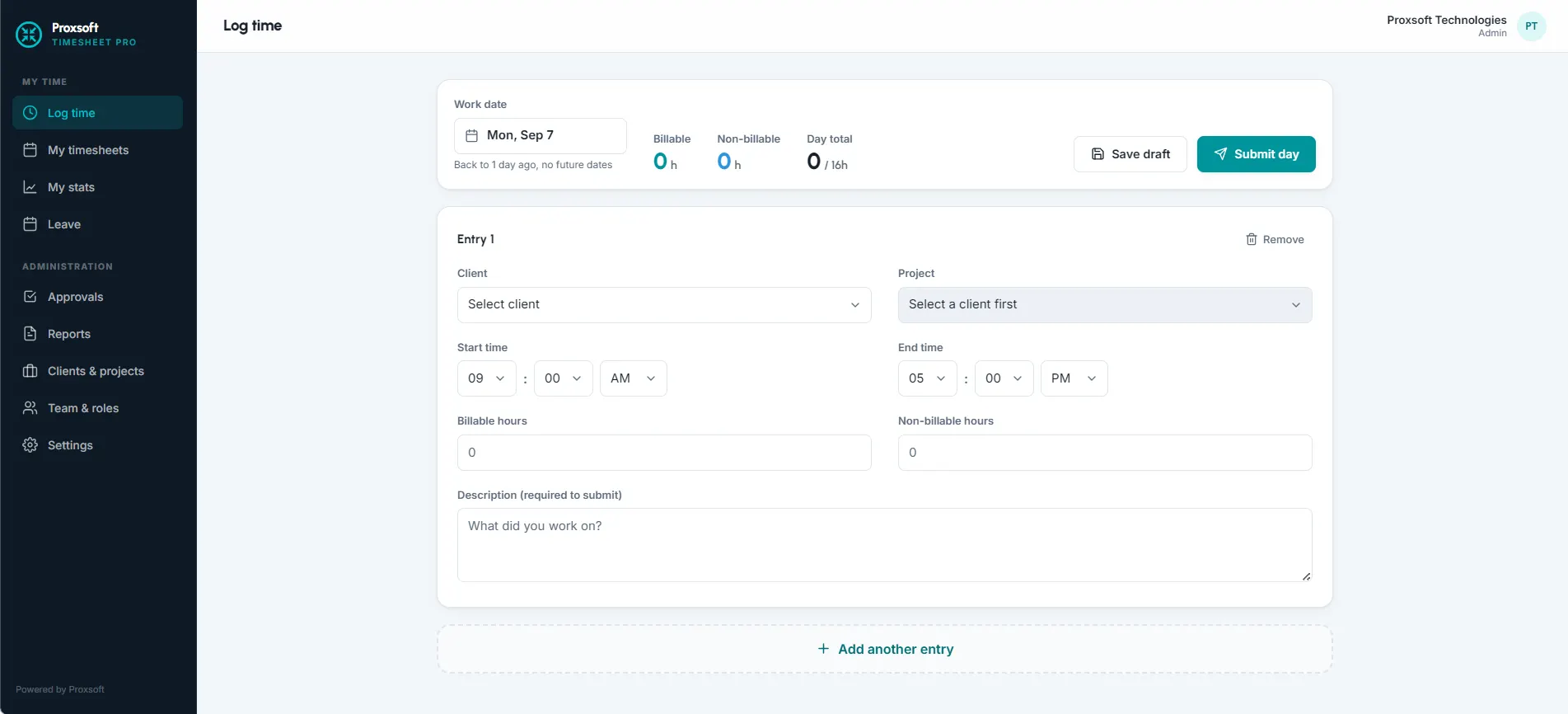
Time logging

People log time by day, with a client, a project, start and end times, and a split between billable and non-billable hours. Drafts save as they go, so nobody loses a half-finished week. 

px 239
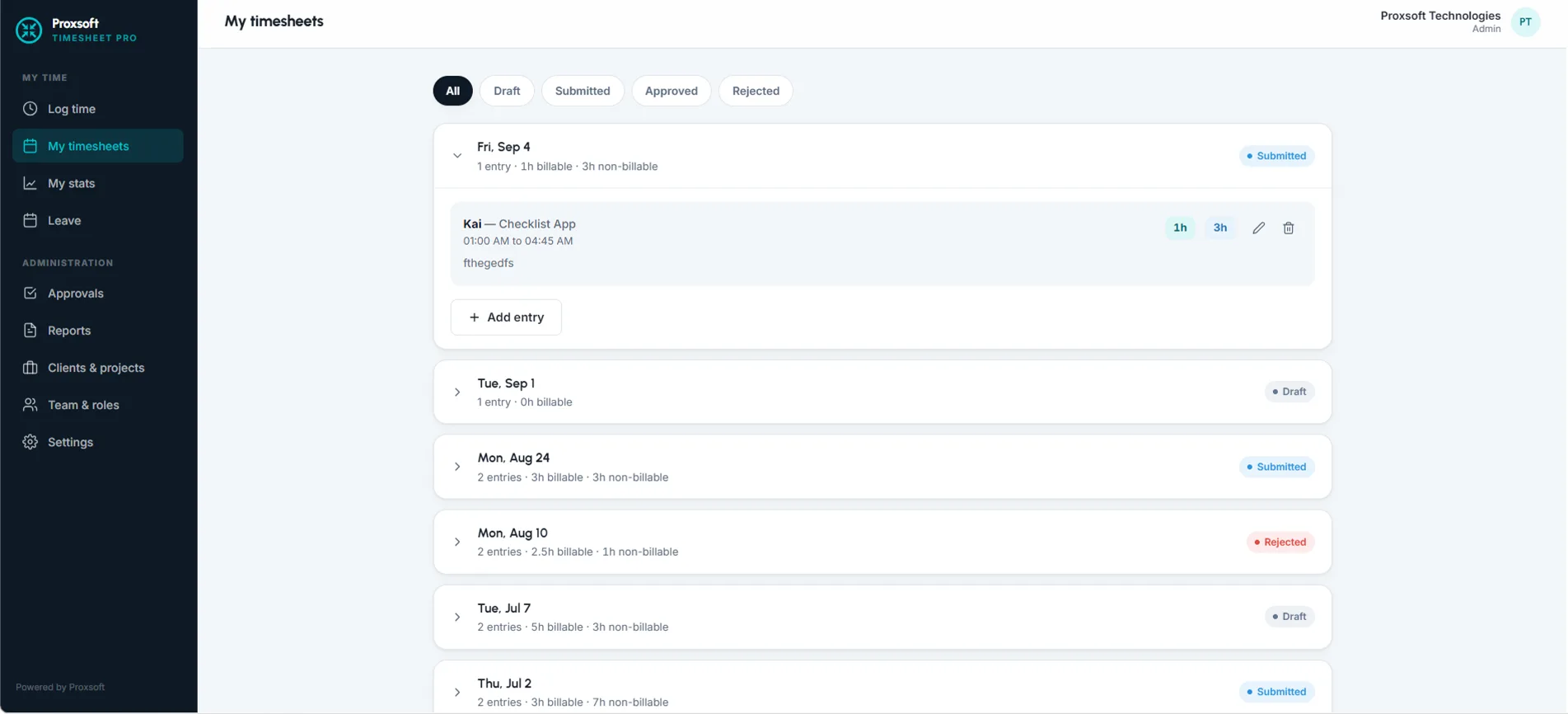
Timesheet approval workflow

Built on Power Automate, timesheets move from Draft to Submitted to Approved or Rejected. Rejections carry a reason, and the person can correct and resubmit without starting over. 

px 240
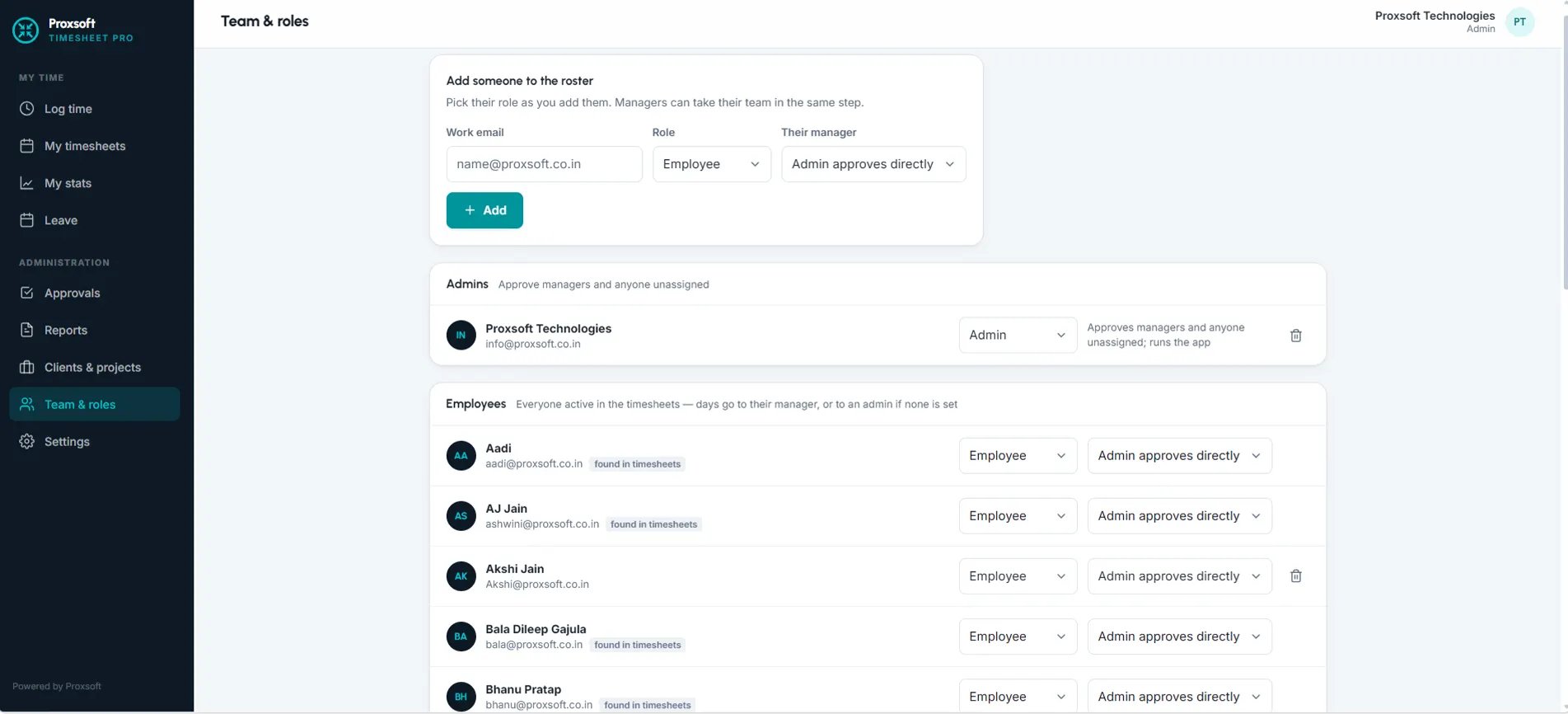
Role-based timesheet approval and access

Employees see their own time. Managers approve their own team. Admins see everything and handle anyone without a manager assigned. Roles are managed from a single roster screen. 

px 241
Leave management, Power Platform-native

Paid and unpaid leave requests run through the same approval path, with working days calculated automatically and weekends excluded. 

Reporting

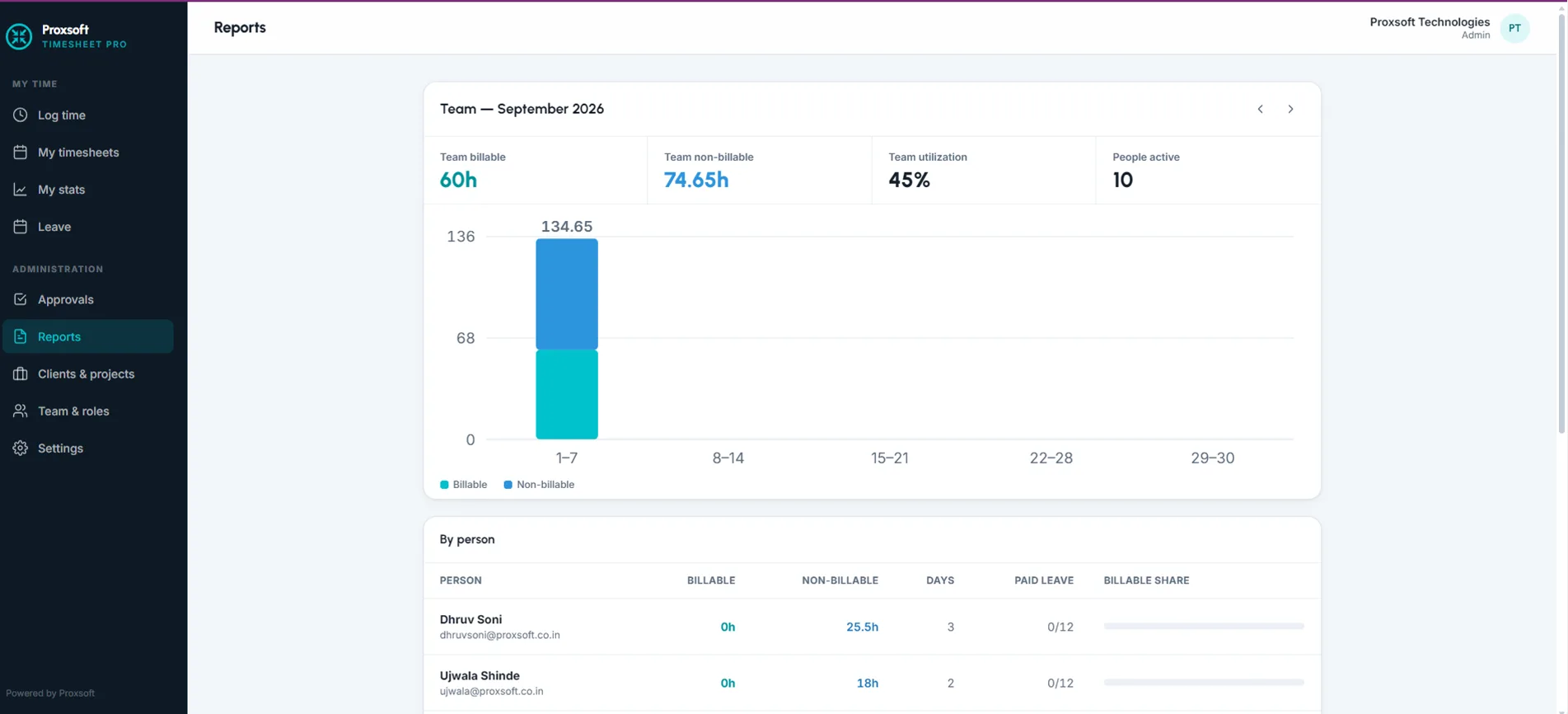
Utilisation, billable-hours tracking, and a breakdown of where each month actually went, by client and project — the same view available to managers for their own team.

Notifications

Submissions notify the right approver directly in Microsoft Teams. Managers are notified about their own team only; everyone else is left alone. 


Technical foundation

Layer

Technology

Application

Power Apps canvas app

Data

Microsoft Dataverse and SharePoint

Automation

Power Automate

Notifications

Microsoft Teams

Identity

Microsoft Entra ID

The Outcome

A live internal reference. Every rough edge, every slow screen, every confusing label gets found by us before it ever reaches a client — which is also why this case study exists. The problems we solved here — approval hierarchies, role-based visibility, mobile entry, reporting people actually use — are the same problems our clients bring us when they ask for a custom time tracking app for construction firms or employee time tracking software on their own Microsoft 365 tenant. Proxsoft Global builds custom business applications on the Microsoft Power Platform for construction, engineering and professional services firms.

Leave a Comment

Your email address will not be published. Required fields are marked *

Scroll to Top