


Client: Commercial Mechanical Contractor
Construction Timesheet App
Platform: Power Apps, Power Automate, Dataverse | Result: No manual payroll entry

The Challenge
The client operates with field crews across multiple active job sites, with employees frequently working across several job codes and cost codes within a single week. Field crew time tracking was done on paper: timecards were collected by foremen and manually keyed into the construction ERP by the payroll team.
This caused recurring problems
These manual processes created recurring delays and inefficiencies across the payroll workflow, reduced visibility between field and office teams, increased the risk of data entry and coding errors, and made it more difficult to track approvals, verify submitted hours, and ensure accurate and timely payroll processing.
Payroll staff re-entered hundreds of timecard lines each week, a slow process prone to transcription errors.
Errors in job code or cost code allocation surfaced only after payroll had run, requiring corrective journal entries.
Approvals were informal, with no reliable record of who authorized which hours.
Foremen and managers had no visibility of submitted hours until the paperwork reached the office.
Field staff had no self-service view of their own submitted or approved time.
The Solution
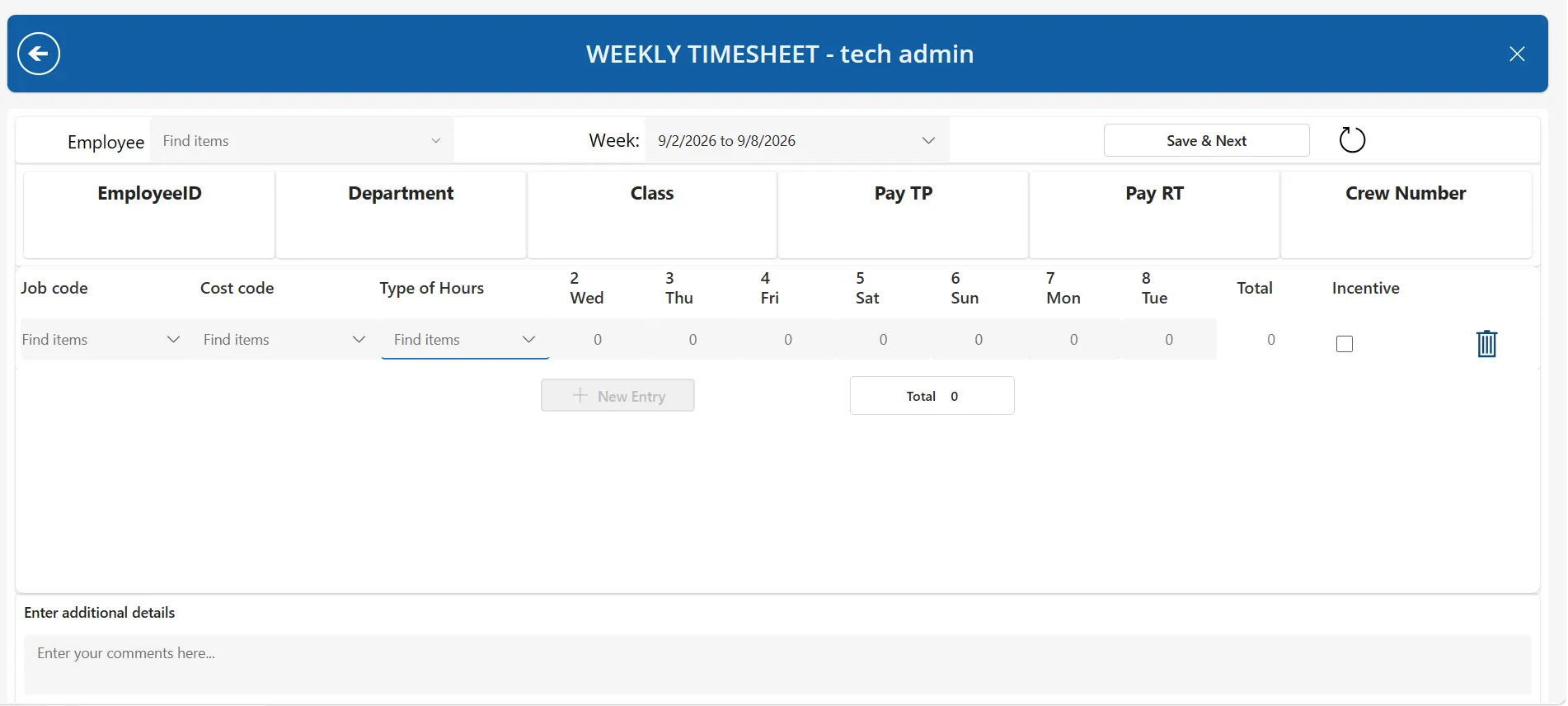
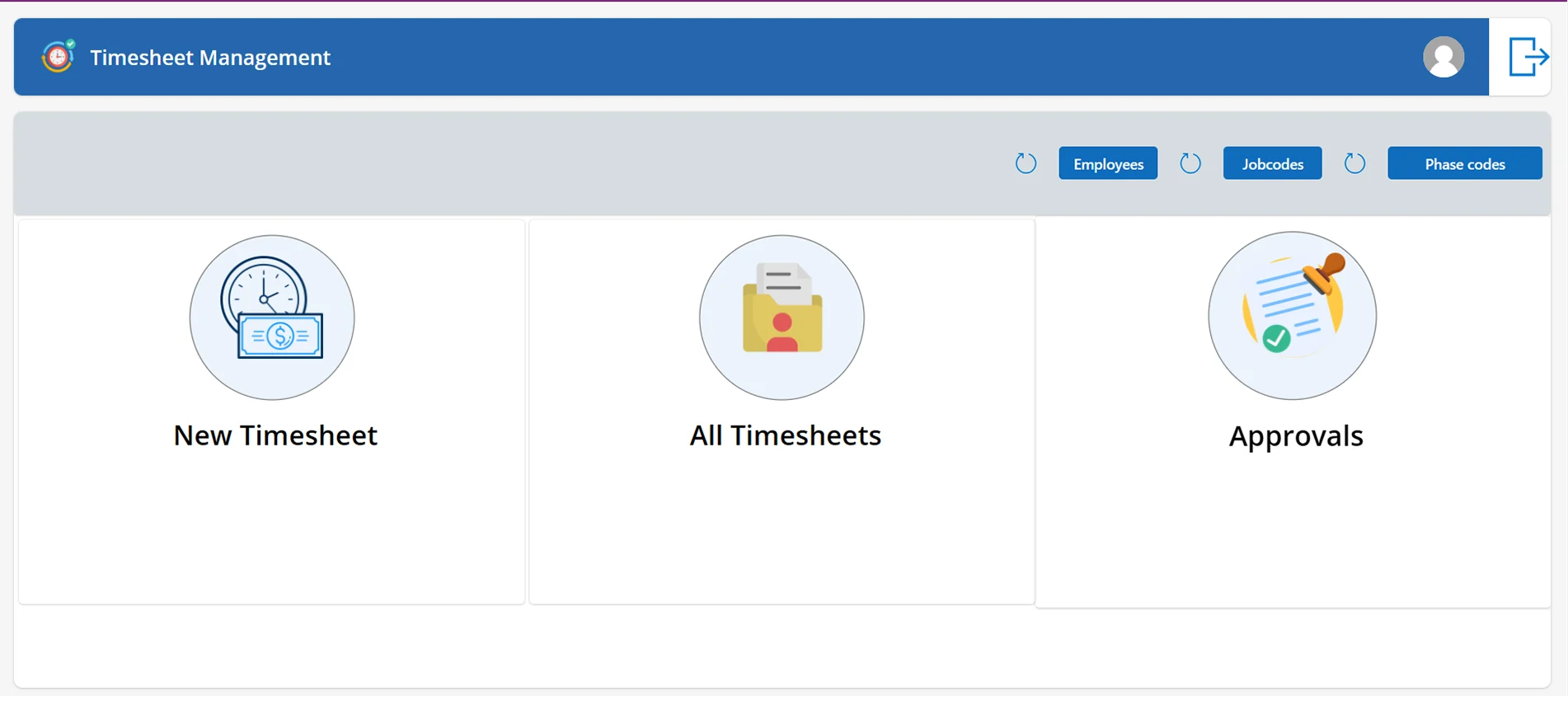
A Power Apps timesheet app providing weekly time entry by job code and cost code, a structured timesheet approval workflow, and automated import into the construction ERP — eliminating manual payroll entry entirely. It follows every timesheet from entry and validation through approval to payroll.


Job and cost code time tracking
Weekly grid layout with a row per job code, cost code and hours type combination.

Dropdown selection for job codes, cost codes and hours types, drawn live from the ERP so only valid combinations can be chosen.

Overtime and double time tracking alongside regular hours, holiday and paid time off, all within a single sheet.

Incentive pay flagging at line level.

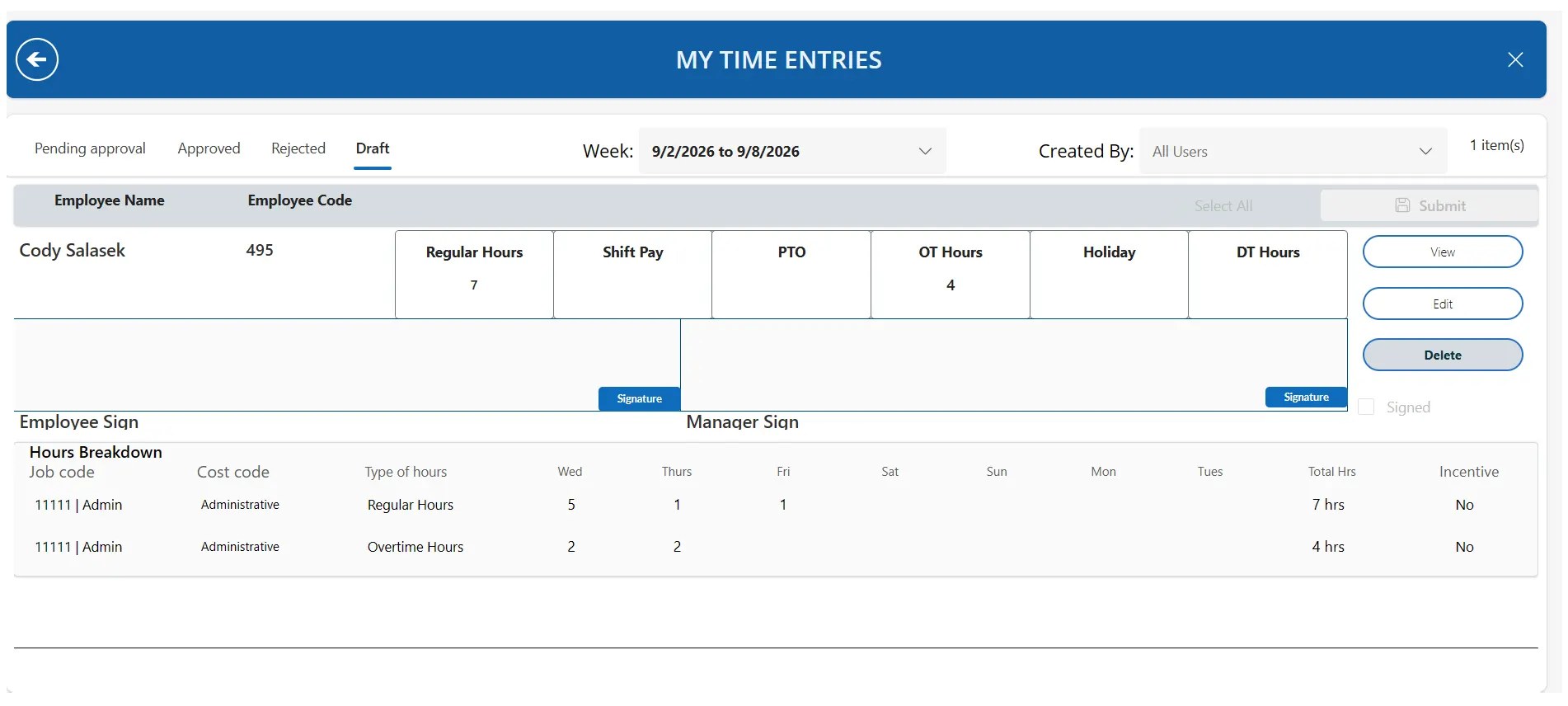
Foreman and employee digital signature capture on every timesheet.

Validation
Required fields enforced before submission, with clear guidance on what is missing.

Decimal hour entry supported to quarter-hour precision.

Duplicate submission prevention — one timesheet per employee per week.

Rules preventing incomplete or zero-hour rows from being submitted.

Timesheet approval workflow
The timesheet approval process was manual, inconsistent, and lacked real-time visibility, making it difficult for managers and employees to stay aligned and for the office team to track status and ensure timely, accurate payroll processing.
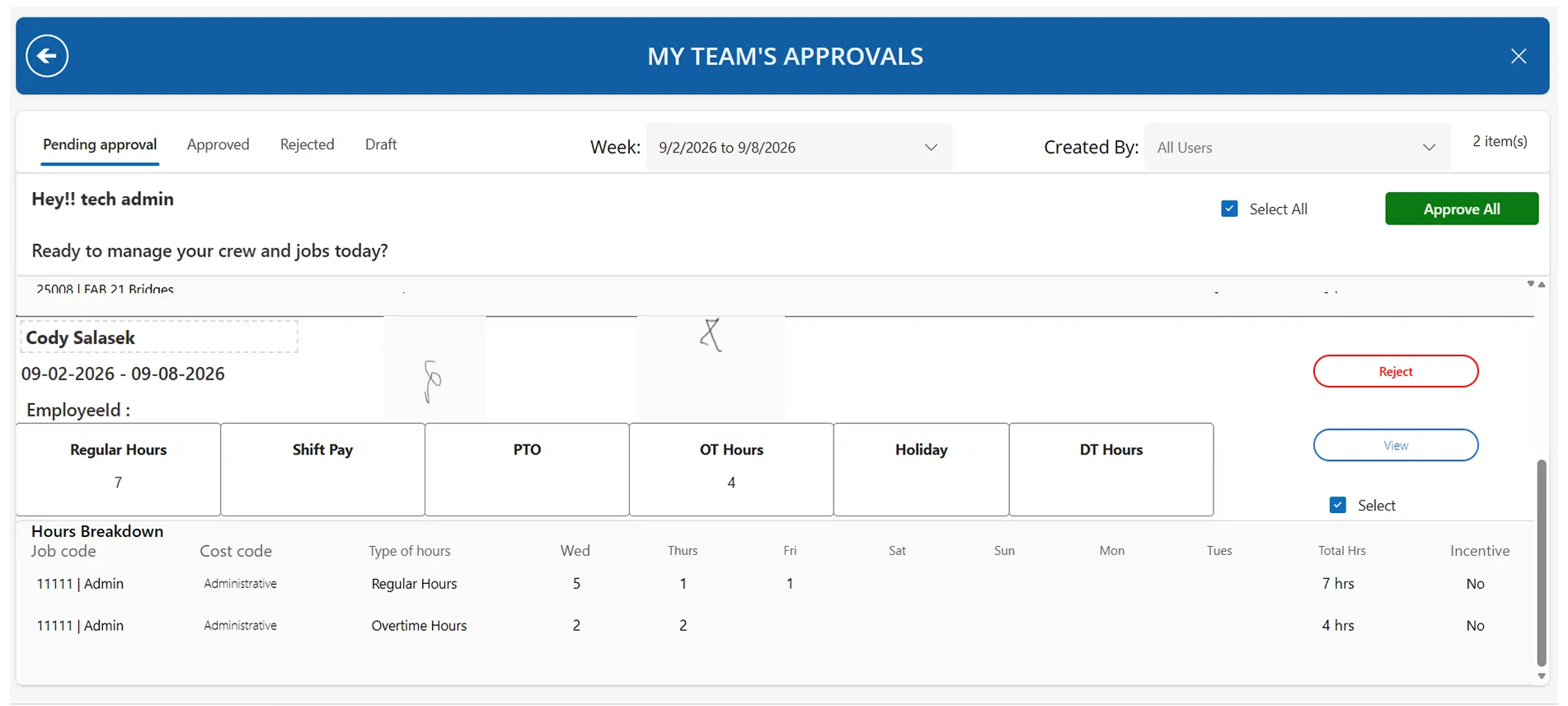
Managers review their own team’s submissions as soon as they are made, filtered by week and by employee.
Individual or bulk approval, with rejection returning the timesheet to the employee with a reason.
Power Automate approval flow notifying managers and administrators on submission.
Full status history — draft, submitted, approved, rejected — retained against every record.
Employees can check the status of their own submitted and approved timesheets at any time.
Construction payroll ERP integration
Approved timesheets import automatically into the construction ERP’s payroll module via its data exchange API.
Department and cost center allocation derived automatically from job code and hours type.
Administrative and non-productive time routed to the correct department without manual intervention.
Failed transfers surfaced for correction rather than failing silently.
Outcomes
Area
Before
After
Data entry
Manual re-keying of every line
Automated transfer to ERP
Approval record
Informal, undocumented
Auditable, with signatures
Error correction
Discovered after payroll run
Prevented at entry
Visibility
None until paperwork arrived
Real time for staff and managers
Cost allocation
Manual, error prone
Rule driven and consistent
With construction timecard automation in place, the payroll team no longer re-keys hours. Job cost allocation is applied consistently by rule rather than by interpretation, and every approval carries a documented signature and timestamp.
Construction Timesheet App — Technical Detail
Data model
Dataverse timesheet data model with header and line-level separation: a header record carrying week, employee, status, totals and signatures, with related entry rows for each job code, cost code and hours type combination.

Approved records written to a separate archive table on approval, keeping the active working set small and preserving an immutable approved history.

Reference data — employees, job codes, cost codes, hours types — synchronized from the ERP rather than maintained separately.

Role and reporting-line configuration held in a dedicated table, driving both approval routing and data visibility.

Integration
Power Apps ERP API integration using the OAuth2 client credentials flow against the ERP’s data exchange endpoint, with token caching and automatic refresh on expiry.

Approved timesheets posted as batched JSON payloads to the payroll import endpoint.
Conditional logic deriving department and cost center from job code and hours type, ensuring administrative and non-productive time posts to the correct cost center.

Response validation with failed records surfaced for correction rather than discarded.

Engineering considerations
Power Apps delegation designed for large datasets — server-side filtering restricted to delegable operators, with role and permission logic evaluated against cached collections to avoid record-limit truncation as data volume grows.

Signature capture stored as image data against the timesheet record, with capture area handling to ensure complete signatures on all form factors.

Decimal precision configured at column level to support quarter-hour entry.

Client-side validation preventing incomplete submissions, with specific messaging per failure rather than a generic error.